
This article was published in February 2025. Some details may have changed since, so check with us before relying on it.
iOS v18 was released in late 2024. They’ve moved the usual settings options so if you need to update your settings, read on to find out where they are.
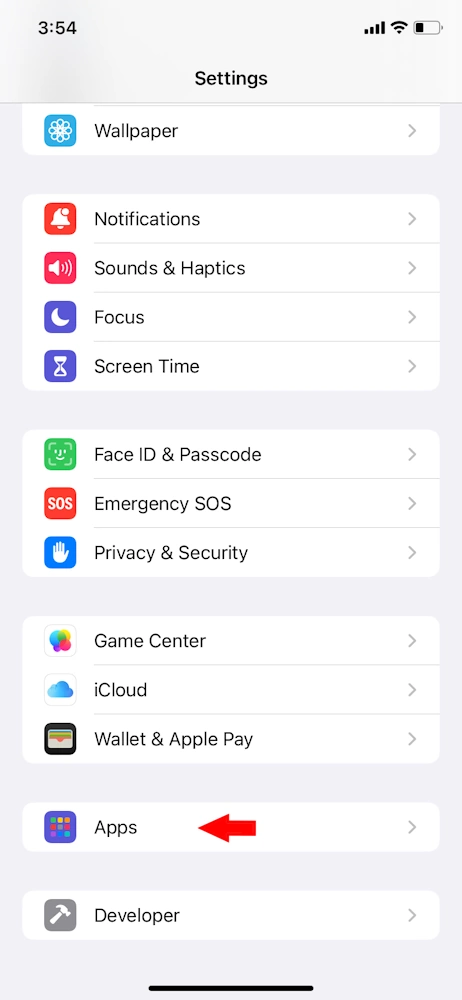
Tap on Settings as you’d normally do from one of the main screens, then scroll to the bottom, then tap on Apps
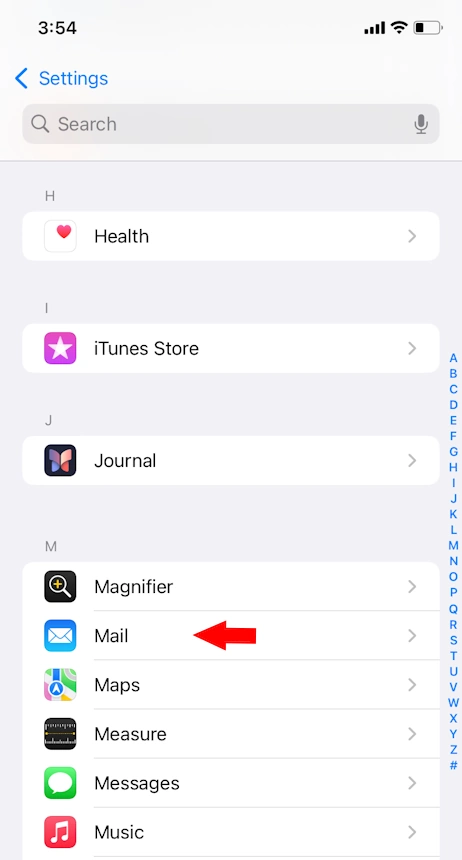
Scroll down to M and tap on Mail.
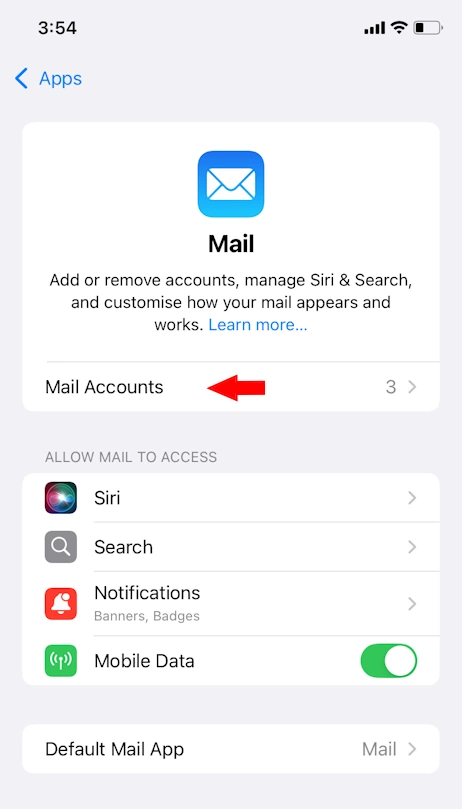
Tap on Mail Accounts (the number of accounts you’ll have will vary).
You can follow the rest of this guide for adding additional email accounts.